Since I can't edit the main post anymore I will type here some corrections for some typos / missing info:
-This is actually the 3rd method not 2nd v2. I made a typo when I copy pasted the title from method 2. That is if you were wondering why method 2 may have existed twice. It doesn't. It is different than the real method 2.
2. Good Performance Method, Medium Effort
-Here the 2nd method to fix the dying keyboard is to simply play the game windowed / not alt tab out of it in the first place. I forgot to write it xd.
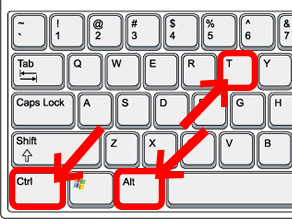
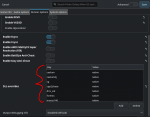
Keyboard that can stop working if you alt tab out of the game: This is very annoying as you can expect but can be fixed in 2 ways. Depending on your Window Manager (especially KDE Plasma) you can force the game window to be borderless windowed even though the fullscreen toggle is disabled in game. This effectively fixes the keyboard "dying" for the game. (ALT + F3 opens up the menu to do this for KDE)
-This part from method 1 (best performing one) is kinda true kinda not true all the way. I will elaborate more in the story time section of this reply below.
Expected Performance:
- FPS should be virtually the same as on Windows—around 62.5 FPS on high-refresh-rate displays.
- Stuttering or micro stuttering is minimal to nonexistent, making gameplay feel nearly identical to Windows.
Story time:
After I posted my first reply here I started playing more on linux with the method 1 mentioned there. It was performing well as described. Then one day I randomly thought about "benchmarking" its performance with laggy planets / missions. What better planet to choose than Earth in Unrest and one well known mission named battle for lag..
cough cough I mean battle for earth.

Everyone knows this mission for being one of the worst for FPS and for game stability (usually people crash at random in it). Then I took a clannie to do the mission with and started testing.
For reference under windows on my PC the game struggles to hold 60 fps during the entire length of the mission. especially while fighting the giza or the main mission tower. FPS would drop to ~45 and would stay around 50 even after completing the mission (likely caused by the fact that the game takes a while to fully unload mission assets or never does so properly, relanding fixes this and getting the frames back to 60).
Well.. the reason why me saying this:
"Stuttering or micro stuttering is minimal to nonexistent, making gameplay feel nearly identical to Windows" in method 1 is not entirely true.. is because not only does the game run identical in terms of MAX FPS as it does under windows.. it actually runs faster... than windows...
I tested this twice without restarting the game. I did battle for earth twice and both times the fps stayed pretty much exactly at 60 fps. Actually sorry I sort of lied. I saw the fps drop once to 59
.
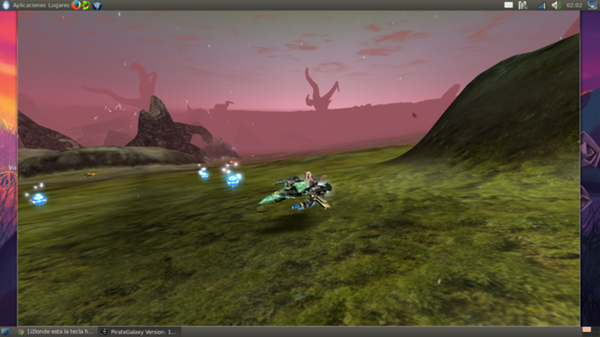
Here is proof of this performance result from the 2nd run of battle for earth:
(Also GalaxyHellx now u are permanently stuck in this forum. Sorry not sorry
)
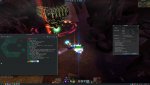
Yes this is running on quite strong hardware, a 7800X3D from AMD and an RTX 3090 (the GPU really does not matter for pg fps, the CPU does) using ultra as the graphics setting but considering the performance with this high end hardware was still better under linux than under windows.. is just incredible.
Then I was like.. is this a fluke? Is this behavior reproducible on other computers or is this only a case for my very specific hardware combination? I took my laptop (5600H + RTX 3050) and installed the same linux distribution.. same proton version.. and same exact steps as method 1. Under windows on ultra I would drop fps to as low as 15 with an average of 20.
I will just let the results speak for themselves:
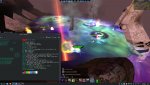
Yes I know its 32 FPS and its not great but I was playing on ultra here too in order to not skew performance results from this test. Buut.. if you paid attention.. wait a second.. its 32 fps and NOT 20
. In other words the results are reproducible on different hardware. Here the lows were around 30 FPS and the average was around 35-38 FPS. Absolutely incredible.
I kept hearing rumors from some random people saying that this game runs better under linux.. blah blah blah. But seeing is believing. I never would've expected to match performance with windows under linux in such an old game.. let alone surpass it by this huge amount. Now I can say for certain that it is real and it is definitely not a rumor anymore.
I also had my Fedora bud confirm these results. They are reproducible on his computer as well.
Now that the story time is over, I will go over a few neat things that I noticed while playing PG under method 1 under linux:
-performance is much better than windows
-drone switching is significantly faster. the game only hangs on average for < 0.2s (this might be huge for OTB / CQ people)
-the game runs better the longer you play which is reverse of what windows does (usually peak performance in linux is reached after ~5 mins of playtime but even in those 5 mins the performance is really good)
-absolutely no crashes to speak of even while doing battle for earth twice in a row and even when doing it a 3rd time on my laptop
(this is not a guarantee for no crashes whatsoever. the game is buggy and unstable and it may still crash eventually. i wanted to point out that there are no linux related crashes on top of the ones caused by the game itself)
BONUS FOR METHOD 1:
Getting frame generation to work on linux to gain extra motion smoothness for the game:
Prerequisites:
- Steam
- Lossless Scaling purchased from Steam or obtained from other "legit" sources that I am not responsible of
- Method 1
- lsfg-vk obtained from your distro's store
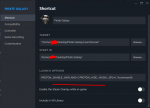
- An extra proton argument added next to the others in method 1 (PROTON_USE_WOW64=1). To make it easy just copy paste the full line from here:
PROTON_ENABLE_WAYLAND=1 PROTON_HIDE_NVIDIA_GPU=1 PROTON_USE_WOW64=1 %command%
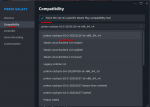
Select the beta version of the app to be linux-testing:

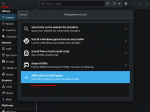
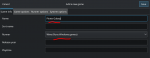
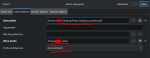
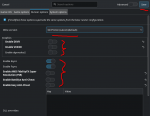
Launch the game and then launch lsfg-vk (both have to be running) and then create a new profile and add the game process to it like here:
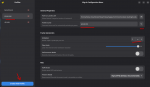
For screens between 120 - 165Hz I recommend setting the multiplier to 2.
For screens >=180Hz I recommend setting the multiplier to 3.
This effectively either doubles or triples your FPS. The reason why you should not set a multiplier that would result in a framerate above your screen's refreshrate is because it will not framegen above it! DO NOT set it like this or you will artificially cap your real game FPS below 60 which will make the game feel more sluggish than usual.
Examples that should remove any confusion:
- 60 X 3 = 180 FPS alongside an 180Hz or above screen is perfect.
- 60 X 3 = 180 FPS alongside an 165Hz or below screen is bad. The actual result is: 55 X 3 = 165 FPS.
- 60 X 3 = 180 FPS alongside an 120Hz is bad. The actual result is: 40 X 3 = 120 FPS.
- 60 X 2 = 120 FPS alongside an 120Hz screen is perfect.
You also should restart the game for the frame gen to start working. I also recommend you enable steam's ingame overlay for FPS. It should show you the new frame rate and the game will definitely feel a lot smoother than it actually is.
You do not need to keep lsfg-vk open every time you start PG. It's a set it and forget it thing. Once it starts working it will always work regardless if you restart your computer or restart the game without opening lsfg-vk. In this aspect the experience is better than it is with the windows version where you have to keep the app open.
What this tool actually does so there isn't any confusion:
- This system relies on a locally run AI model to generate entirely new frames between the ones your game already produces. By inserting these interpolated frames, it can effectively double or even triple the visible frame rate.
- It’s important to note that the game itself continues to run at its original FPS. The interpolation happens after the frames leave the game engine, so it doesn’t interfere with physics, animation timing, or any of the internal logic that depends on real engine frames.
- The resulting motion won’t be perfectly identical to a native high-FPS output, but it comes surprisingly close. Because the AI has to predict what should exist between real frames, you may occasionally spot minor visual glitches or artifacts—these are normal and come from the model not always being able to infer every detail with perfect accuracy.
I can't exactly picture the motion of this frame gen scenario but as I like to say seeing is believing. Give it a try if you want, don't give it if you don't and enjoy a PG experience like no other.